
Find Computers With Outdated Secure Boot Certificates
Under a Minute
With Applixure, IT teams can detect whether Secure Boot 2023 CAs are in use and instantly identify devices where certificates are not updated, before future Windows boot or Secure Boot updates start failing.

Secure Boot Certificates Start Expiring June 2026
The Microsoft UEFI Secure Boot 2023 certificate replaces the 2011 certificate expiring from June 2026. Devices not updated in time risk boot failures, compliance gaps, and disruption.

Most Fleets Are Not Ready
Certificate updates depend on firmware health, TPM state, BIOS versions, and Secure Boot configuration. A script-based approach does not provide continuous control.

Late Discovery Is Expensive
Finding incompatible devices during rollout creates downtime, support spikes, and forced hardware refresh decisions.

Effortless Secure Boot Certificate Monitoring,
With Applixure
Start Free Trial
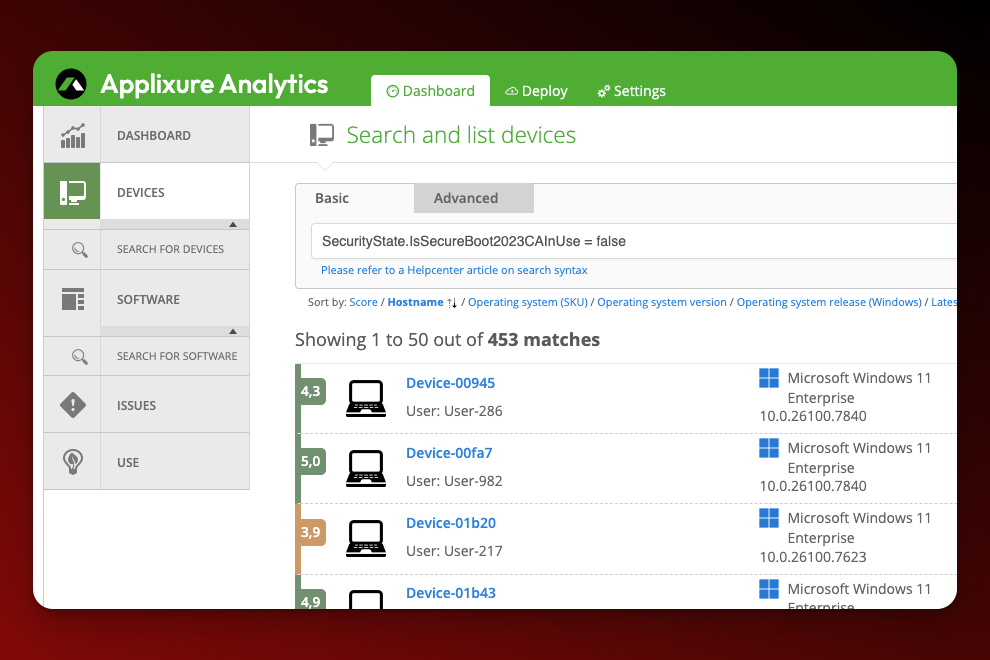
Secure Boot Certificates Status in Minutes
Applixure automatically detects endpoints where Secure Boot certificates are not updated. Instantly filter and list affected devices across your fleet; no scripts, no spreadsheets.
- SecureBoot certificates not updated flag
- Fleet-wide filtering & search
- Device-level compliance visibility
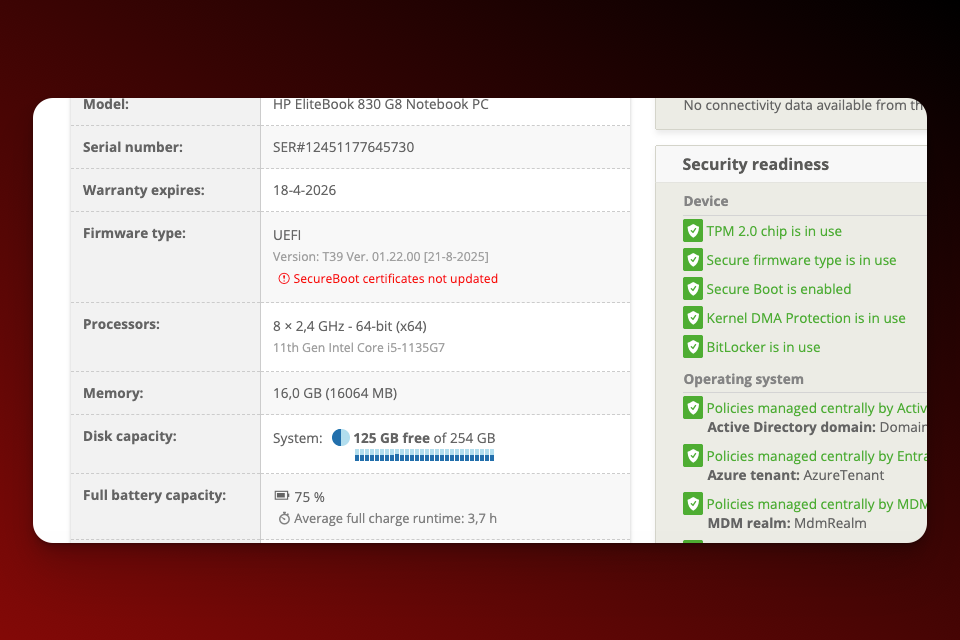
Understand Gaps in Minutes
Know whether the issue is firmware-related, configuration-based, or hardware-dependent.
- BIOS / firmware version visibility
- UEFI vs legacy mode
- Secure Boot enabled / disabled
- TPM 2.0 status
- OS build & security update level
- Hardware model & warranty data
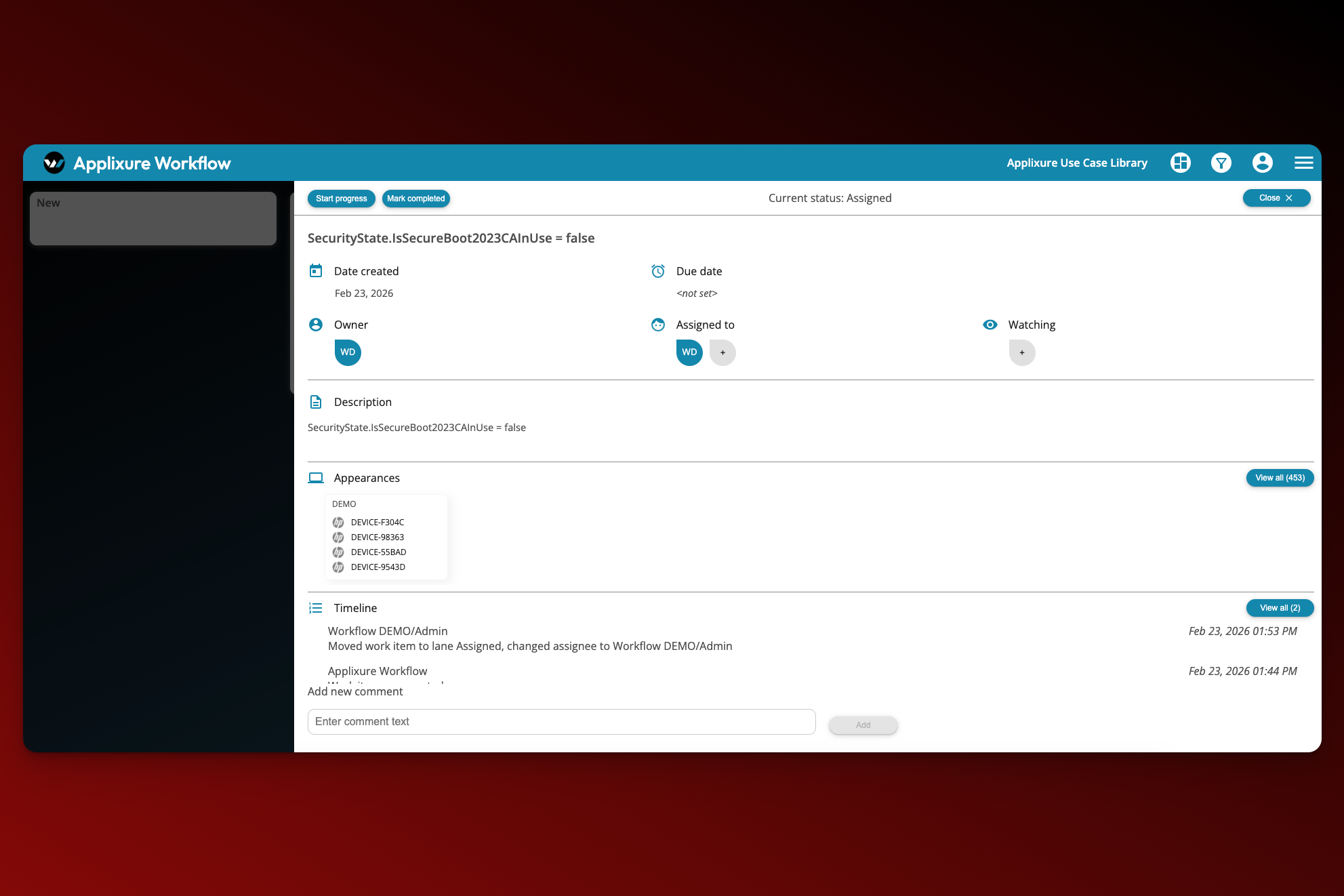
Turn Findings Into a Structured Action Plan
Group affected devices into remediation cohorts. Prioritise by model, firmware baseline, hardware age, or warranty status. Assign actions and monitor progress centrally.
- Cohort filtering by model or BIOS version
- Workflow-based task coordination
- Continuous monitoring of certificate status
Secure Boot 2026 Comes With Hidden Risk
Most IT teams are not behind because they lack intent; they lack continuous, always available visibility into firmware, certificate, and boot configuration state.
Traditional Secure Boot Transition

High Manual Workload
IT teams rely on scripts, BIOS checks, and spreadsheets to assess readiness device by device.

Unclear Certificate Readiness
No central visibility into which devices still use the 2011 certificate or failed the 2023 update.

Firmware Dependency Blind Spots
Outdated BIOS versions and TPM configuration issues block successful certificate updates.

Security & Compliance Exposure
Devices not transitioned before June 2026 may fail secure validation or fall out of compliance.
Applixure Makes Secure Boot Transition Predictable
- Automated Fleet-Wide Assessment
- Certificate & Secure Boot Visibility
- Detect BIOS / TPM / UEFI Gaps Early
- Continuous Monitoring, Not One-Time Scripts
The Hard Truth:
Most failures are not caused by Windows.They are caused by BIOS, TPM, and Secure Boot configuration gaps. Applixure gives you the visibility layer to fix them before rollout.
Secure Boot 2026 Readiness Intelligence for IT Teams
Applixure surfaces certificate, BIOS, TPM, and Secure Boot readiness gaps and helps you operationalise the remediation plan.
Applixure Products
Applixure Analytics
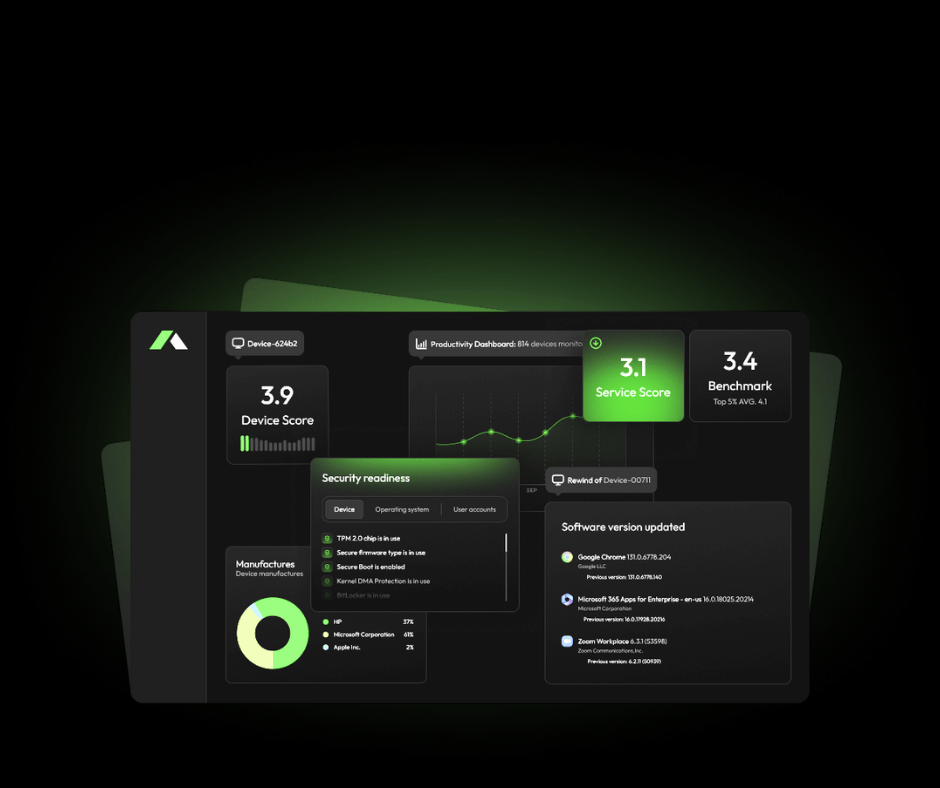
Secure Boot Readiness, Fleet-Wide
Applixure Analytics gives you a single view of Secure Boot certificate status and the underlying requirements (UEFI/Secure Boot state, TPM, BIOS/firmware versions).
- Plug & Play Setup (15 min)
- Secure Boot certificate readiness visibility
- BIOS/firmware version reporting
- TPM + Secure Boot configuration insights
Applixure Workflow
.png)
Operationalise the Remediation Plan
Applixure Workflow helps you turn findings into an execution plan: prioritise cohorts, assign actions, track progress, and reduce manual coordination. Keep the work structured and measurable.
- One-click setup
- Cohort planning (by model, site, owner, risk)
- Task coordination and progress tracking
- Ongoing monitoring until the fleet is ready
Get Secure Boot 2026 Visibility, Fast

Plug&Play in 15 minutes
Deploy the lightweight agent and start seeing Secure Boot certificate status across your fleet immediately.

See Your Certificate Posture Instantly
Identify which devices are still running the 2011 certificate, which are updated, and which are blocked by firmware gaps.

Validate Before You Roll Out
Use Applixure to assess readiness before pushing firmware updates or OS transitions.
Trusted by IT Teams Globally







The Secure Boot Certificate Expires June 2026.
Do You Know Your Fleet’s Current Status?
June 2026 is approaching. Applixure reveals which devices aren’t Secure Boot ready, before it becomes a problem.

"Applixure brings the overall environment together. You don’t have to look at one computer at a time, but can see the whole picture and take measures to solve the problems."
Jussi Erola
Director of IT, GRK Group