
Thanks for submitting the form. We've sent the guide to your email. Be on the lookout for emails sent from Applixure!
Tackle Software & Version Sprawl With Applixure
Find software sprawl, version drift, unused apps, and software issues before they create IT drag.

Software Sprawl Stays Hidden
Unused apps, unknown software, browser extensions, and version drift often go unnoticed until they create problems.

Version Drift Slows IT Down
Too many OS builds and app versions increase troubleshooting time, rollout friction, and patching complexity.

Reactive Cleanup Costs More
Finding sprawl during incidents, audits, or migrations creates manual work, delays, and unnecessary support pressure.

Effortless Software & Version Sprawl Elimination With Applixure
Start Free TrialSoftware Visibility Across Client and Web Apps
Understand how software is used across your fleet, from client applications to selected web-based tools.
- See all active client application
- Track selected web app adoption
- Build a clearer view of real software being used
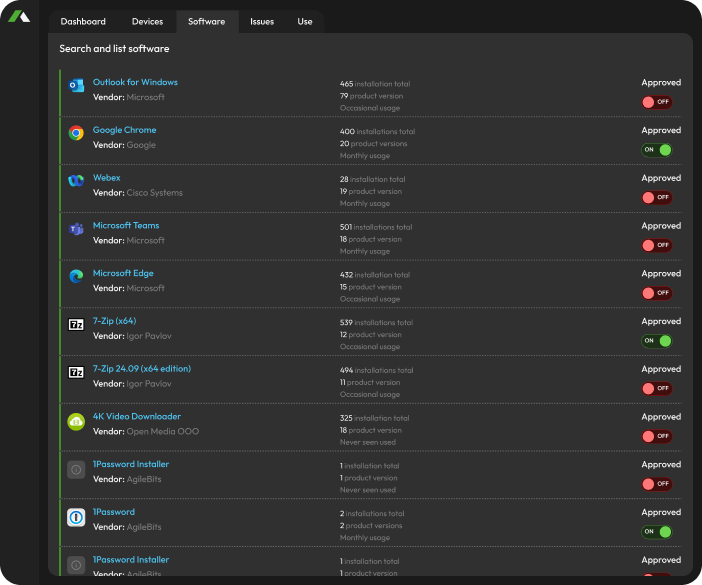
Software Version Distribution & Issue Detection
See how many versions of each application are active across your fleet and where version drift is creating unnecessary complexity.
- Identify apps with too many active versions
- Spot outdated software and browser extensions
- Prioritize version cleanup by fleet impact
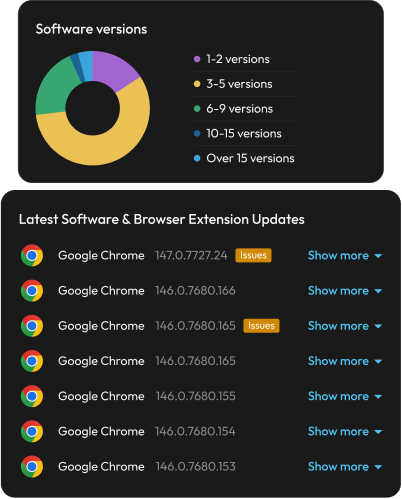
See OS Version Risk Across Your Fleet
See OS versions, release age, support status, and security update state across your fleet.
- Identify devices running end-of-life OS versions
- Track OS release age and upgrade readiness
- Validate security update status across devices
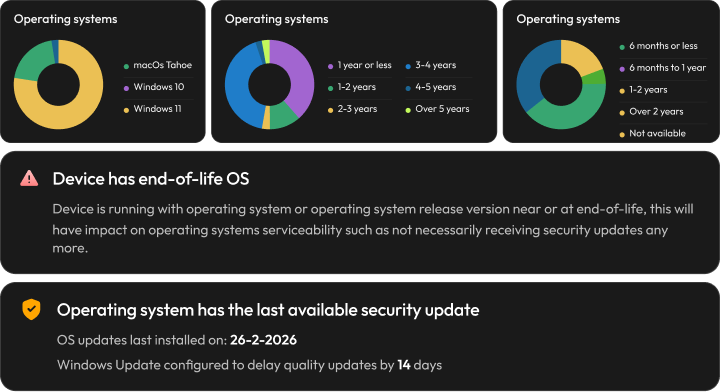
Find OS Build Fragmentation
See how many OS builds are active across each release and where build fragmentation is creating unnecessary complexity.
- Detect too many active OS builds
- Identify long-lived build exceptions
- Prioritize OS standardization efforts
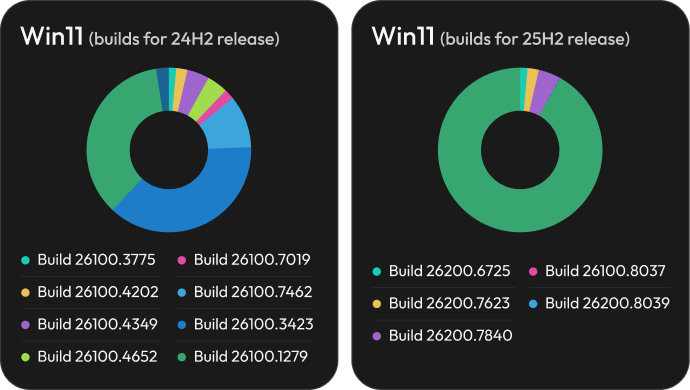
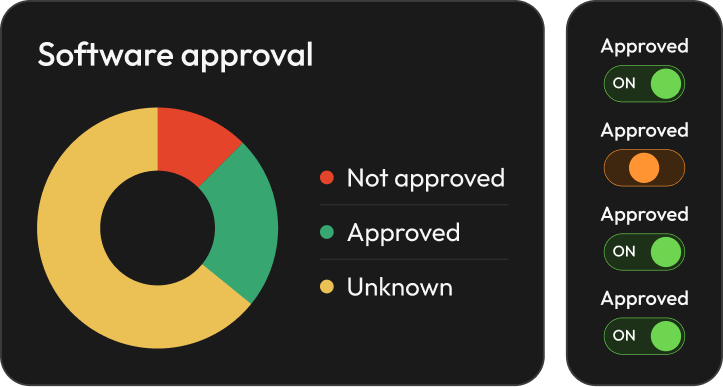
Control (Un)Approved Software
See which applications are approved, not approved, or still unknown across your fleet.
- Identify unapproved software
- Review unknown applications
- Keep software governance visible
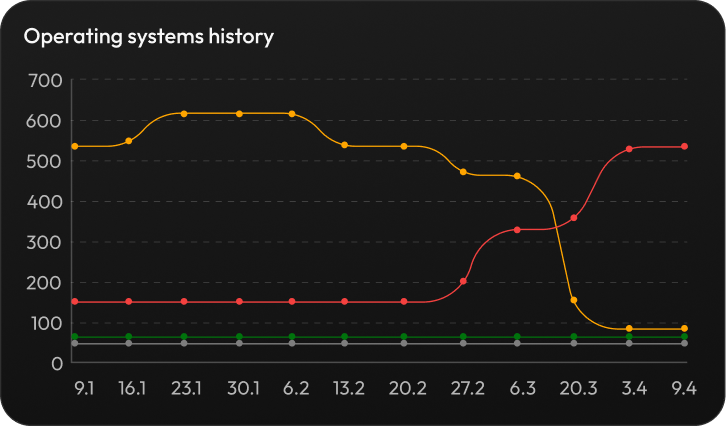
Track OS Upgrade Progress
Track OS changes, upgrade progress, and version adoption trends across your fleet over time.
- Monitor OS migration progress
- See which versions are growing or declining
- Identify stalled upgrade cohorts
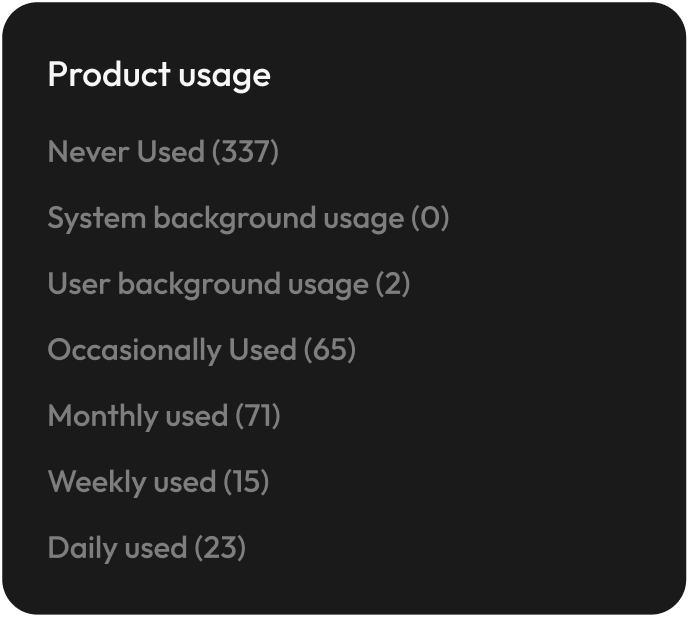
Find Unused (Paid) Software
See which applications are used daily, occasionally, rarely, or never across your fleet.
- Identify unused software footprint
- Reduce unnecessary licensing and support burden
- Prioritize cleanup by actual usage
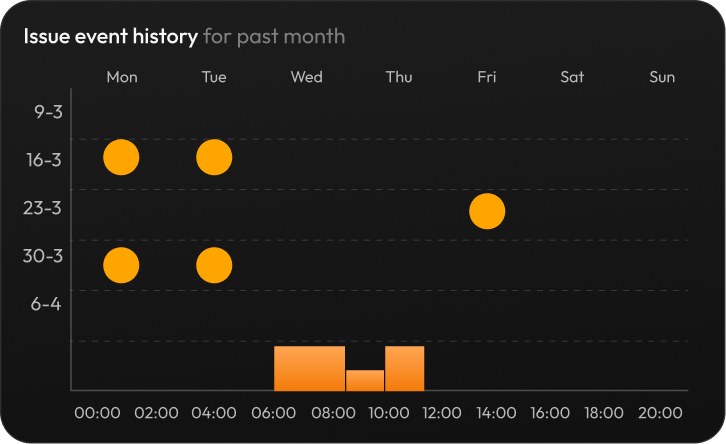
Find Recurring Software Issues
See when software issues occur, how often they repeat, and which applications are creating instability across your fleet.
- Track software crashes and issue patterns
- Identify recurring application problems
- Prioritize fixes by frequency and fleet impact
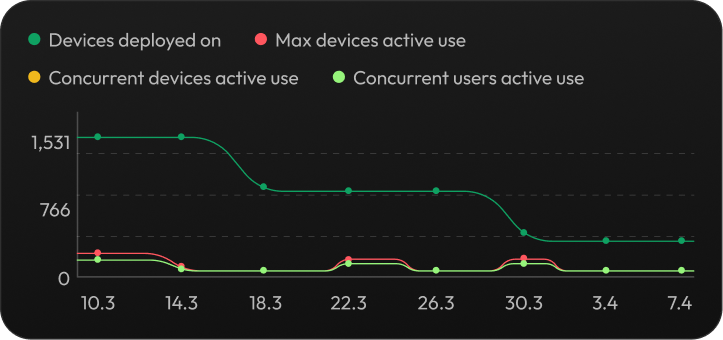
Track Software Adoption & Active Use
Track how software adoption changes over time, including deployed devices, active devices, and active users.
- Monitor rollout and adoption progress
- Compare deployment vs. actual active use
- Identify underused or declining software
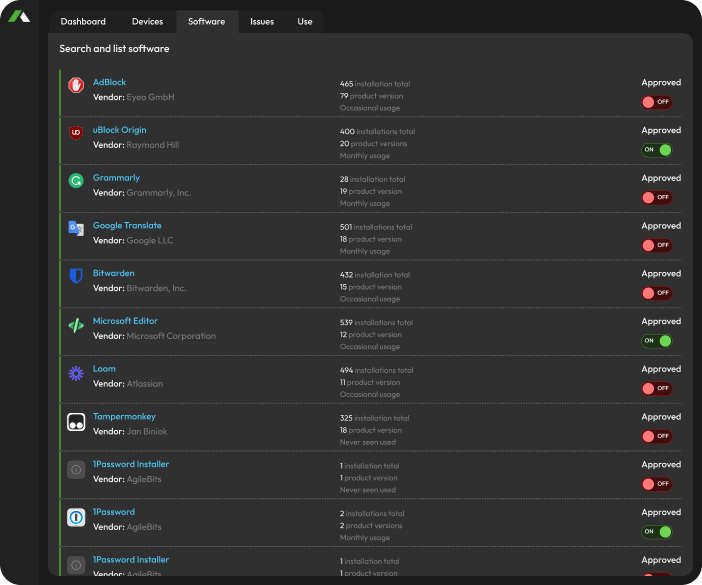
Browser Extensions Visibility
Gain visibility into browser-based extentions across your fleet.
- Discover browser extensions across devices
- Identify unmanaged or risky browser-based tools
- Review approval status and usage patterns
Secure Boot 2026 Comes With Hidden Risk
Most IT teams are not behind because they lack intent; they lack continuous, always available visibility into firmware, certificate, and boot configuration state.
Traditional Secure Boot Transition

High Manual Workload
IT teams rely on scripts, BIOS checks, and spreadsheets to assess readiness device by device.

Unclear Certificate Readiness
No central visibility into which devices still use the 2011 certificate or failed the 2023 update.

Firmware Dependency Blind Spots
Outdated BIOS versions and TPM configuration issues block successful certificate updates.

Security & Compliance Exposure
Devices not transitioned before June 2026 may fail secure validation or fall out of compliance.
Applixure Makes Secure Boot Transition Predictable
- Automated Fleet-Wide Assessment
- Certificate & Secure Boot Visibility
- Detect BIOS / TPM / UEFI Gaps Early
- Continuous Monitoring, Not One-Time Scripts
The Hard Truth:
Most failures are not caused by Windows.They are caused by BIOS, TPM, and Secure Boot configuration gaps. Applixure gives you the visibility layer to fix them before rollout.
Software & Version Sprawl Intelligence for IT Teams
Applixure surfaces installed software, browser extensions, OS builds, version drift, usage signals, and software issues, so IT can reduce complexity and keep the computer fleet easier to support.
Applixure Products
Applixure Analytics
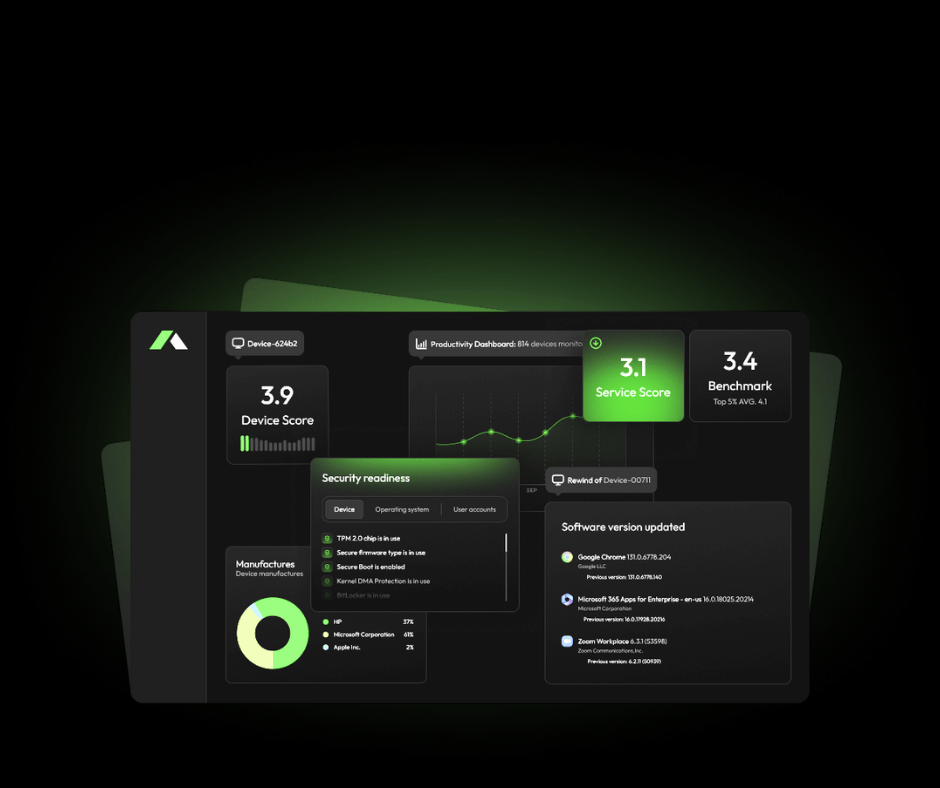
Software & Version Visibility, Fleet-Wide
Applixure Analytics gives you a single view of software and version sprawl across your computer fleet, including installed applications, browser extensions, OS versions, software usage, approval status, and issue history.
- Plug & Play Setup (15 min)
- Continuous software discovery
- Version distribution and drift detection
- OS build and support visibility
- Software usage and issue tracking
Get Software & Version Sprawl Visibility, Fast

Plug-&-Play in 15 minutes
Deploy the lightweight agent and start seeing installed software, browser extensions, OS versions, and version distribution across your fleet.

See Your Software Posture Instantly
Identify approved, unapproved, unknown, unused, outdated, and fragmented software across your environment.

Prioritize What to Clean Up First
Use Applixure to find the software, versions, OS builds, and exceptions creating the most operational drag.
Trusted by IT Teams Globally




Software & Version Sprawl Is Already in Your Fleet.
Do You Know Where It Creates the Most Drag?
Applixure reveals installed software, version drift, OS build fragmentation, unused apps, and software issues across your fleet, so IT can take control before complexity keeps growing.

"Applixure brings the overall environment together. You don’t have to look at one computer at a time, but can see the whole picture and take measures to solve the problems."
Jussi Erola
Director of IT, GRK Group