
In this article
Share with your community!


Edited & Reviewed
 Edited & Reviewed
Reading time 3 mins
Updated on May 28, 2026
In this article
Share with your community!
Fact: 2 out of 3 computers are replaced too early, here's what the data shows
Most IT organizations replace computers on a fixed schedule, three years, four years, sometimes tied to a lease agreement, sometimes just convention. The logic seems sound: older hardware fails more, software support ends, and end users start complaining. Replace on a cycle, stay ahead of the problems.
The data tells a different story.
At Applixure, we have been running lifespan analyses across customer environments for several years. The pattern that emerges, consistently, is that the majority of devices flagged for replacement under standard age-based policies are still performing well. Not marginally, clearly, and measurably so.
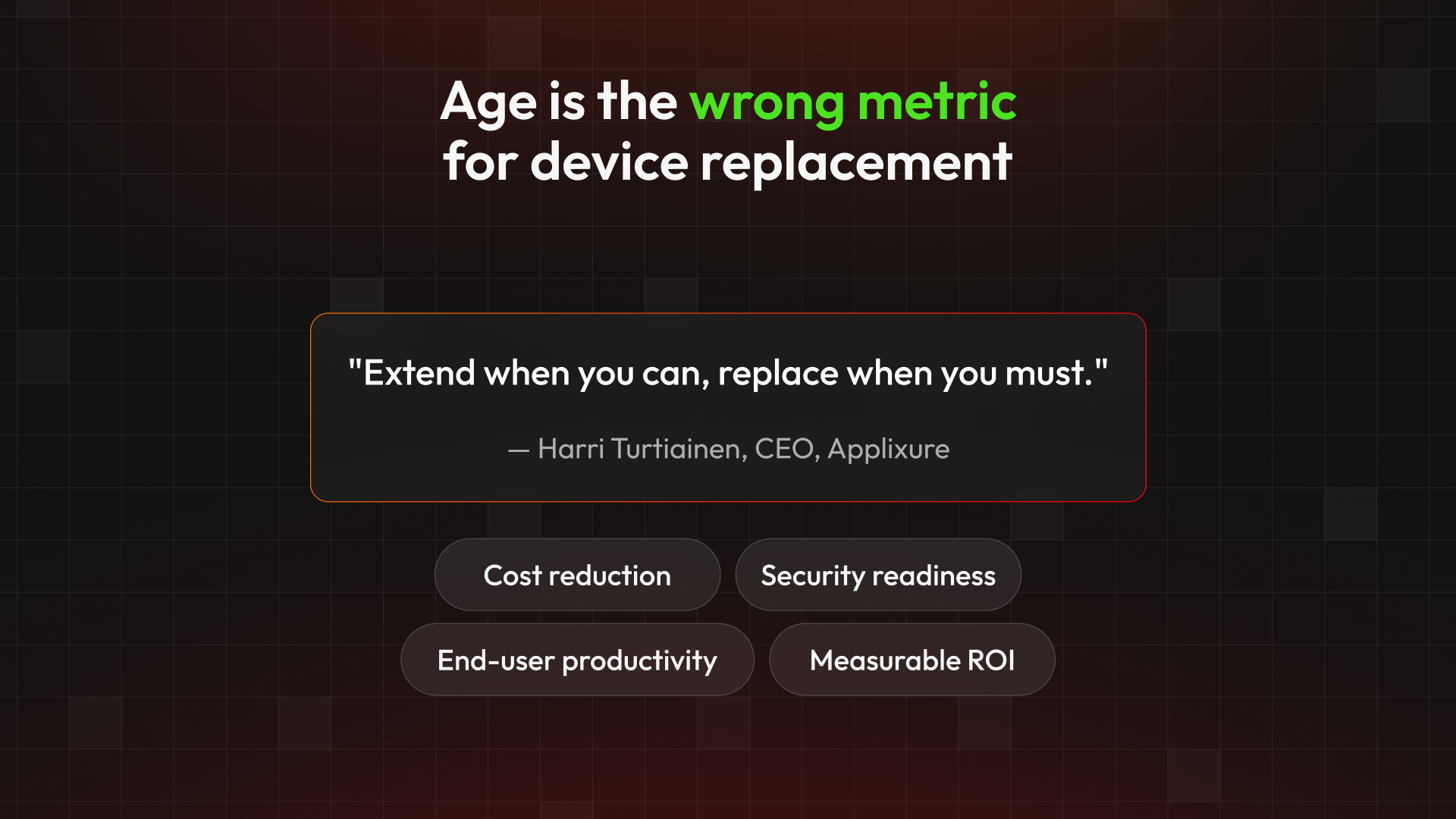
"Extend when you can, replace when you need. Age is not the determining factor, device health is."
What the numbers actually show
- ~80% of devices can extend past the replacement date in a typical fleet
- 25–40% cost reduction achievable through (Applixure's) health-based model
- 36% fewer support tickets in one customer after systematic quality improvement
Why age is an unreliable proxy
The problem with age-based replacement is that it treats every device as identical. In practice, computers age at very different rates depending on how they are used, how the environment is managed, and the profile of the person using them. A power user's machine may be genuinely worn out in three years. A device used for light administrative tasks may have years of productive life remaining at five.
We have also seen the reverse: devices that are less than a year old that are already performing poorly by any objective measure. Under a pure age-based policy, those employees would wait three more years before IT had any formal reason to act.
The age-based model also conflates a procurement decision with a performance decision. Whether a lease expires is a financial event. Whether a device is still delivering adequate productivity for the person using it is a separate question, and the one that actually matters.
The cost argument most IT leaders are missing
There is a framing shift worth making here. In Finland, the average fully-loaded cost of an employee, salary plus employer-side costs, is roughly €5,000 per month, or €60,000 per year. Over a three-year device lifecycle, that is €180,000 of employment cost that a single computer is helping to support.
The computer itself is a small fraction of that. The question IT should be asking is not "how old is this device?" but "is this device supporting or degrading the productivity of a significant investment?" When framed that way, both premature replacement and tolerance of poor performance become equally problematic. You replace a device that did not need replacing, or you leave an employee working on hardware that is slowing them down, and either way the economics are worse than they should be.
What health-based fleet management actually requires
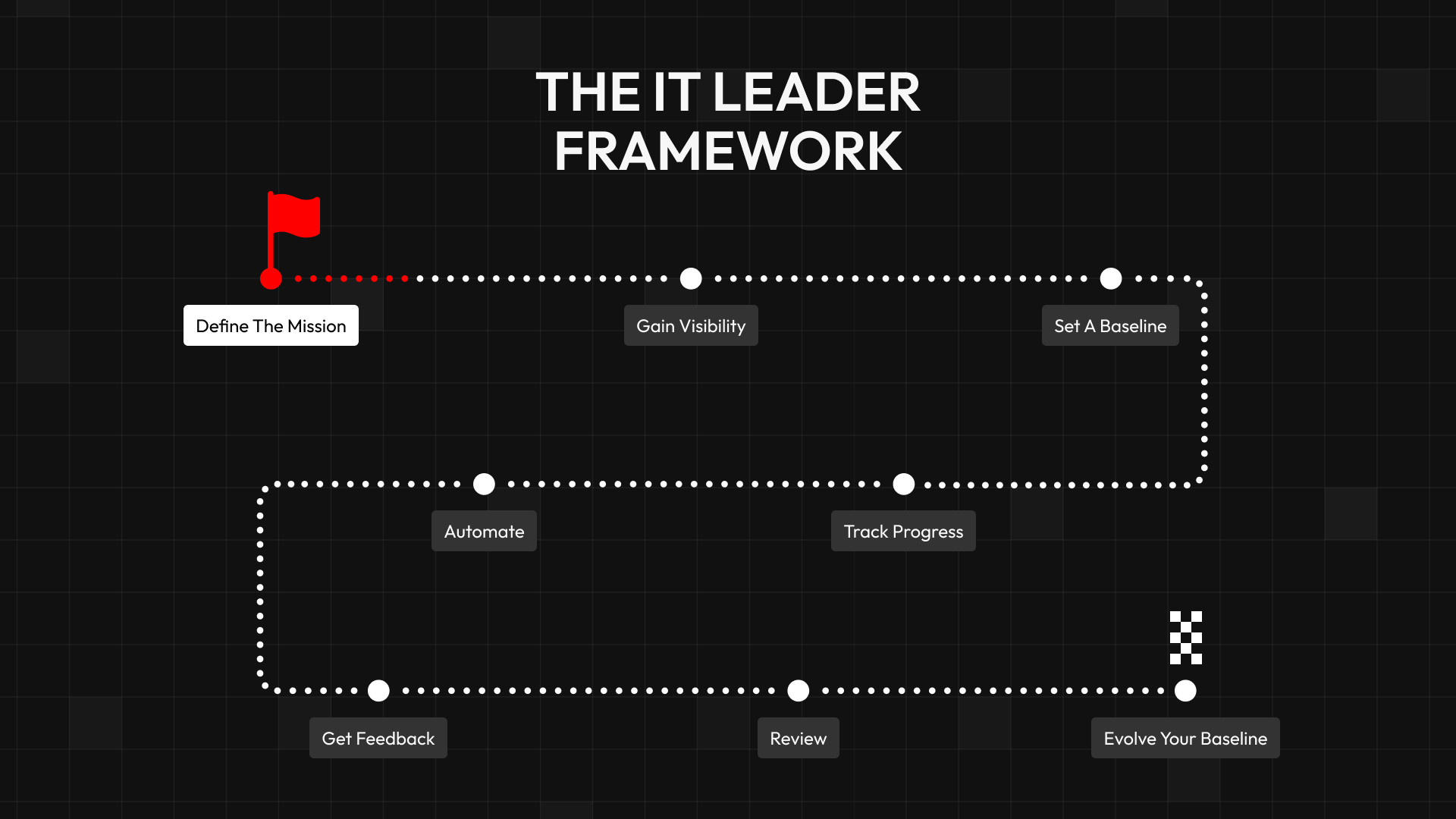
Moving from age-based to health-based lifecycle decisions is not complicated, but it does require three things to be in place.
First, visibility. You cannot make data-driven decisions without current, accurate data on device performance. This means automated collection of hardware and software inventory, real usage data, and measurable indicators of end-user experience, startup times, memory pressure, software stability, update compliance. Most management tooling gives you configuration data; that is not the same as condition data.
Second, a defined quality baseline. One of the more consistent findings from our work with customers is that most IT teams have never formally defined what "good" looks like for their environment. Without a baseline, there is no way to measure progress, and no objective standard against which to evaluate a replacement decision. We recommend selecting three to five key quality metrics across experience, manageability, and security, not an exhaustive list, but enough to establish a minimum quality floor and track it over time.
Third, a process for acting on deviations. A quality baseline only has value if there is a systematic way to detect when devices fall below it and respond accordingly. In practice, this means automated monitoring and clear remediation workflows, so that the IT team is responding to objective signals rather than waiting for a support ticket or a scheduled refresh cycle.
"But, older devices generate more support load, right?"
The most common concern we hear when organizations consider extending device lifecycles is that older devices will generate more support load. It is a reasonable assumption. It is also, in our experience, often wrong.
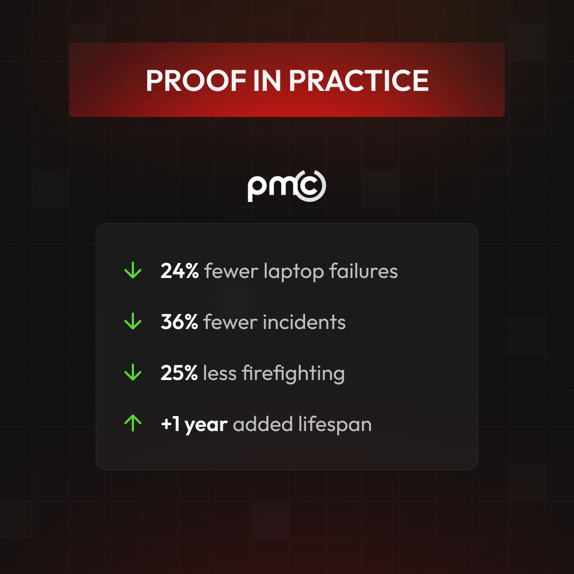
One of our customers, a case we have documented publicly, extended their fleet from four years to five years while simultaneously implementing systematic quality improvement practices. Over that period, they recorded a 36% reduction in support tickets. The reason is straightforward: when you are proactively managing device condition rather than waiting for failures, problems are resolved before they escalate. The support burden from a well-managed older device is typically lower than the support burden from a new device onboarded into a poorly managed environment.
Five years as the new benchmark
Based on the analyses we have conducted, five years is emerging as the practical optimum for most enterprise device fleets, not as a new fixed policy to replace the old one, but as a realistic outer boundary for health-based management. Most devices, managed proactively and assessed against objective metrics, will reach that threshold without material degradation.
Some will not, and should be replaced earlier. A small number may extend beyond it, with known trade-offs around hardware vendor support for firmware and driver updates. The point is not to commit to a number. The point is to stop treating the calendar as a substitute for data.
Request The Blueprint
Ready to replace devices based on health, not just the calendar.
Download the blueprint and learn how to identify which devices to extend, fix, or replace. Click here.
Book a demo
See how Applixure helps IT teams replace devices based on health, not age. Book here.
.png?width=1920&height=1080&name=book%20demo%20banner%20(1).png)
Stay Ahead in IT
Get monthly insights and guides for smarter IT management
No spam. Unsubscribe anytime.