
In this article
Share with your community!


Edited & Reviewed
 Edited & Reviewed
Reading time 6 mins
Updated on May 4, 2026
In this article
Share with your community!
Most organizations do not think of version sprawl as a major quality problem. It is usually treated as background variation. A few different operating system releases. Some build differences. A number of applications in parallel versions. A growing software estate that nobody fully standardizes because there are always more urgent things to do. That is exactly why the problem becomes expensive.
Version sprawl rarely looks dramatic at first glance. But over time, it quietly increases support effort, slows down security remediation, creates inconsistent employee experience, weakens confidence in device quality, and makes the endpoint environment harder to manage with the resources available.
In many organizations, this area still gets far too little attention relative to the cost and quality impact it creates.
|
Example Calculation: A representative 1,000-device environment can easily contain roughly 1,000 to 1,300 applications, 20 or more active operating system builds, hundreds of applications in multiple versions, and a meaningful amount of software that is installed but rarely used or no longer worth the complexity it creates. Across the estate, that can mean well over 2,500 application-version records, around 50 to 60 installed applications per device, and thousands of software instances adding support, patching, and compatibility burden without corresponding business value. |
This is version sprawl. And it is not just a housekeeping issue. It is a quality issue, a cost issue, and a capacity issue.
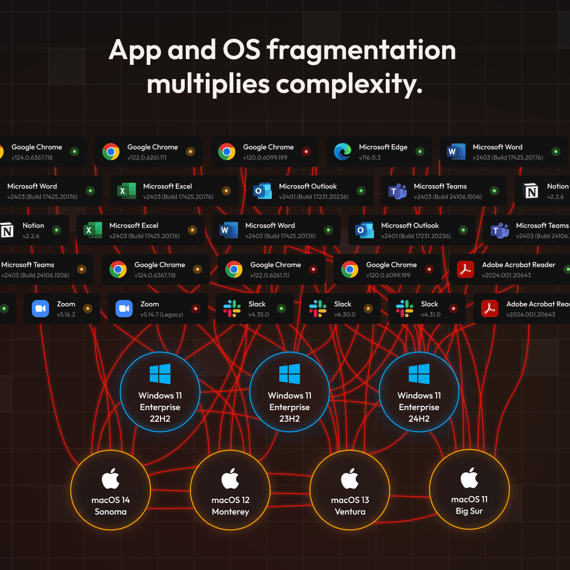
Why version sprawl matters more than most IT leaders realize
Version sprawl is not simply a matter of “too many versions.” It is the accumulation of too many parallel software states across the endpoint estate at the same time.
A modern endpoint environment is made up of multiple layers:
-
operating system versions
-
OS builds
-
browsers and browser-related components
-
runtimes and frameworks
-
management agents
-
add-ins and plugins
-
installed applications, each following its own update path
When too many of these layers drift apart across the estate, the environment becomes harder to predict. Devices that look similar on paper start behaving differently in practice. One user has no issue, another sees degraded performance, a third gets crashes, and a fourth cannot use the same workflow reliably. This is where endpoint quality begins to deteriorate.
The problem is often underestimated because the environment may still look broadly standardized at a headline level. There may only be a few operating system versions in use. Patch compliance may appear acceptable. Core applications may look familiar and widely deployed. But that view is too shallow.
The real fragmentation usually sits underneath the headline numbers, in build variation, application-version overlap, runtime drift, unmanaged exceptions, and the long tail of software that remains installed long after its practical relevance has faded.
The hidden cost of version sprawl
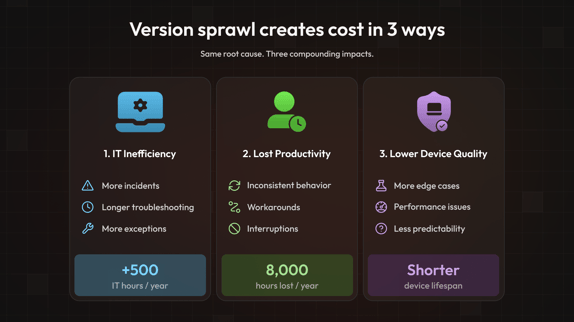
Version sprawl creates cost in three ways at the same time.
1. It creates extra work for IT
Fragmented environments produce more operational drag because the same issue does not appear consistently across the estate.
That means:
-
more endpoint and software incidents
-
longer troubleshooting time
-
more rollout and validation effort
-
more packaging exceptions
-
slower patching and remediation work
-
more time spent explaining why supposedly similar devices behave differently
The cumulative effect is significant.
A 1,000-device environment typically generates around 5,000 incidents per year. If version fragmentation adds just 20 minutes of additional diagnostic time to 30% of those, that alone produces 500 extra hours annually, roughly 0.3 FTE, before rollout validation, packaging exceptions, and remediation complexity are factored in. That does not mean version sprawl always causes major outages. It means it creates recurring everyday inefficiency that consumes scarce IT capacity.
Calculation:
|
Consider a 1,000-device environment where a standard software deployment silently installs a newer Visual C++ redistributable on part of the estate. The redistributable is a background runtime component that many Windows applications depend on to function. A widely used business application depends on an older version and begins crashing on affected devices. On unaffected devices, everything works normally. The first ticket describes a broken application. The technician checks the application itself, recent updates, and user permissions before eventually landing on a redistributable version conflict. Total diagnostic time: roughly 90 minutes. Over the following days, similar tickets arrive from across the estate. Without a clear root cause identified in the first ticket, many future ones are treated as new investigations. Across a 1,000-device environment, incidents like this are not rare. They are the mechanism behind the 500 hours of additional IT effort estimated earlier. In a standardised estate, the runtime layer is known and controlled. The conflict is identified swiftly and resolved centrally across the whole estate. |
2. It reduces employee productivity
Version sprawl also affects end users directly. When devices behave inconsistently, employees experience:
-
different application behavior across machines
-
missing or inconsistent features
-
more login, sync, and performance issues
-
more interruptions
-
more workarounds
-
more dependency on support
This friction is not immeasurable. If version inconsistency costs each employee just 10 minutes per week in workarounds and minor disruptions, that is 8 hours per person per year. Across 1,000 users, that is 8,000 hours of lost productive time annually. Even at half that rate, the number is significant. So, across hundreds or thousands of users, even small losses add up quickly.
3. It lowers endpoint quality
A fragmented software estate is harder to keep stable. As software complexity grows, device quality gradually deteriorates through:
-
more edge cases
-
more unexplained performance differences
-
more support effort
-
more uncertainty around updates
-
less confidence in older devices
This matters strategically because a computer's lifespan is not determined by hardware age alone. It is also shaped by how stable, supportable, and predictable the device remains in practice.
Hardware replacement is driven by many factors, including warranty cycles, security support windows, and procurement policy. But in practice, decisions are also shaped by IT confidence in the device. A computer that is stable, predictable, and easy to support tends to stay in service longer than one that generates disproportionate support effort regardless of its hardware age. Reducing software complexity supports that confidence.
Better software quality supports better computer quality. And better computer quality supports longer useful device life.
Download The Software Sprawl Blueprint
Software sprawl rarely gets fixed in one big cleanup. It needs a practical operating model: clear visibility, prioritization, version control, and a phased approach that IT can actually maintain.
Get the guide and learn how to reduce software and version sprawl across your environment without turning it into another manual IT project.

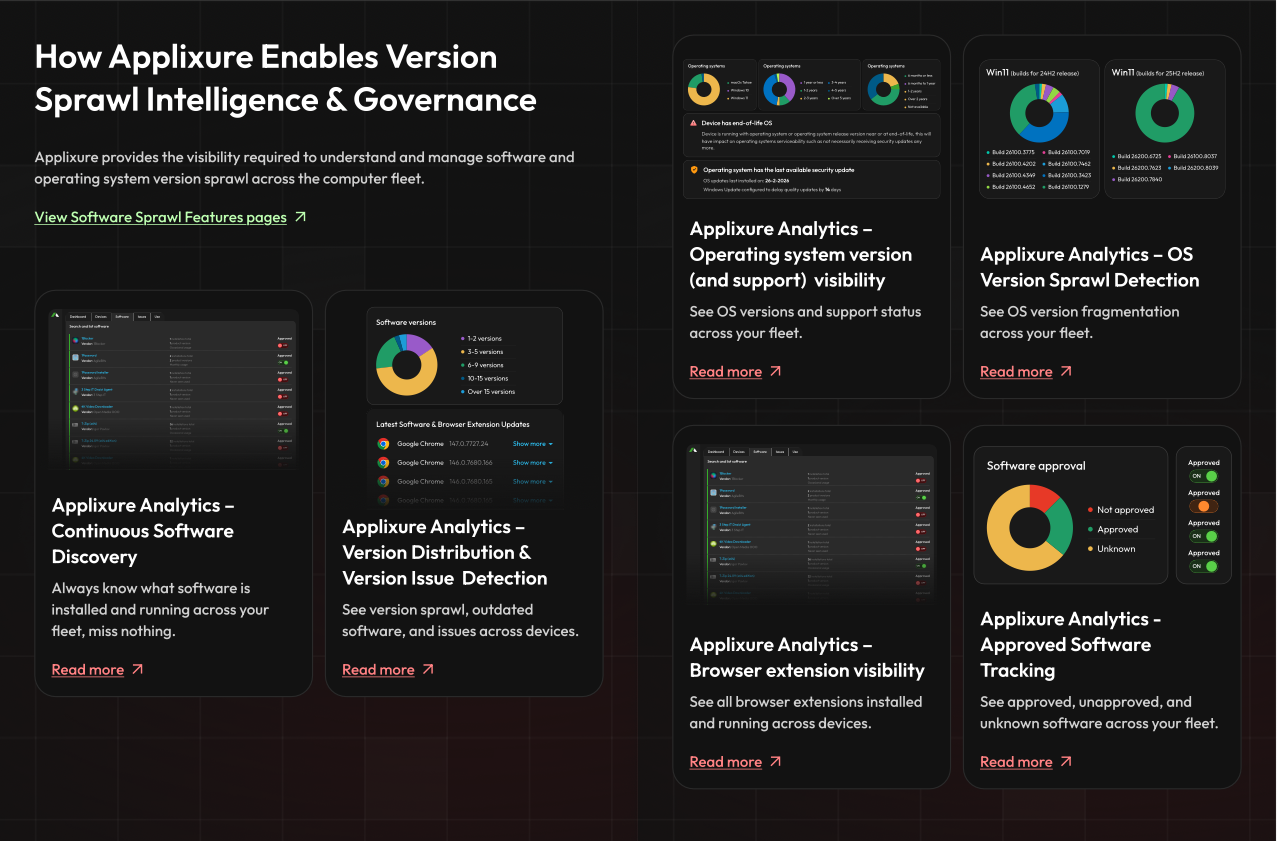
See How Applixure Tackles Software Sprawl
Applixure gives IT teams continuous visibility into installed software, active versions, OS builds, browser extensions, approval status, usage, and software issues across the fleet.
See how Applixure helps you move from hidden software complexity to controlled software governance.
View Software & Version Sprawl Features here.
Stay Ahead in IT
Get monthly insights and guides for smarter IT management
No spam. Unsubscribe anytime.