
In this article
Share with your community!


Edited & Reviewed
 Edited & Reviewed
Reading time 3 mins
Updated on October 8, 2026
In this article
Share with your community!
On 13 October 2026, Windows 11 version 24H2 reaches end of updates for Home, Pro, Pro Education, and Pro for Workstations. Devices still running these editions of 24H2 will no longer receive regular security updates. Enterprise and Education editions of the same release remain supported until 12 October 2027. Microsoft’s release information lists the deadlines by version and edition.
Staying supported is an ongoing task
For IT teams, the immediate question is practical: how many affected devices are still in your environment, and which ones need attention?
Moving to Windows 11 was one milestone. Keeping it supported is an ongoing task. Standard annual feature releases receive 24 months of support for Home and Pro editions, and 36 months for Enterprise and Education. Each release brings another deadline to plan for; LTSC editions follow separate lifecycles.
Check the installed edition
The installed edition matters, too. Your environment may still contain devices running Pro where Enterprise was expected. For 24H2, that means a support deadline a year earlier than expected. Checking what devices actually report helps uncover these exceptions before they disrupt your upgrade plans.
Make it a repeatable process
Applixure Analytics and Applixure Workflow can help turn that check into a repeatable process.
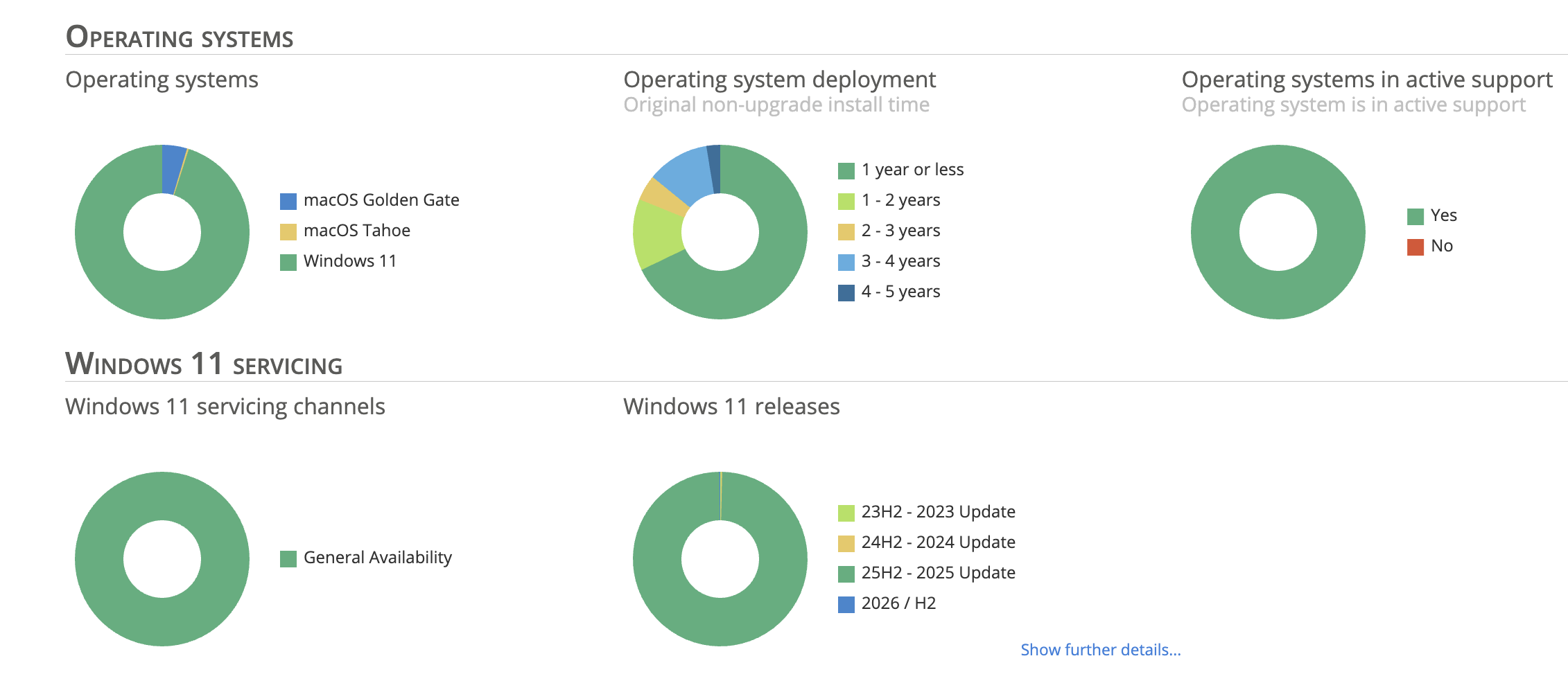
Step 1: See which Windows versions are in use.
Start with the operating-system charts in Applixure Analytics. Click through from the relevant chart segment to explore the devices behind it. This gives you a practical starting point for understanding your Windows estate and narrowing down the machines you need to investigate.
Applixure Analytics Product
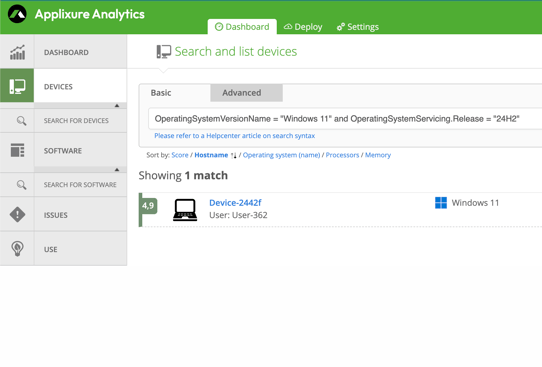
Step 2: Check the affected devices and their editions.
Refine the device list to identify Windows 11 Pro devices running 24H2. Check for other affected editions where relevant, and look for Pro installations in environments where you expected Enterprise. The aim is to establish exactly which devices need action against the earlier deadline.
Applixure Analytics Product
Step 3: Create a Workflow rule to keep them visible.
In Applixure Workflow, create a rule matching the relevant Windows version and edition. Give it a clear name, such as “Windows 11 Pro 24H2 — support ends 13 October 2026,” and organise the resulting work on a board.
You can add further rules for other versions and editions, using their corresponding support dates. This keeps the different groups visible and gives your team a clear basis for prioritising upgrade work.
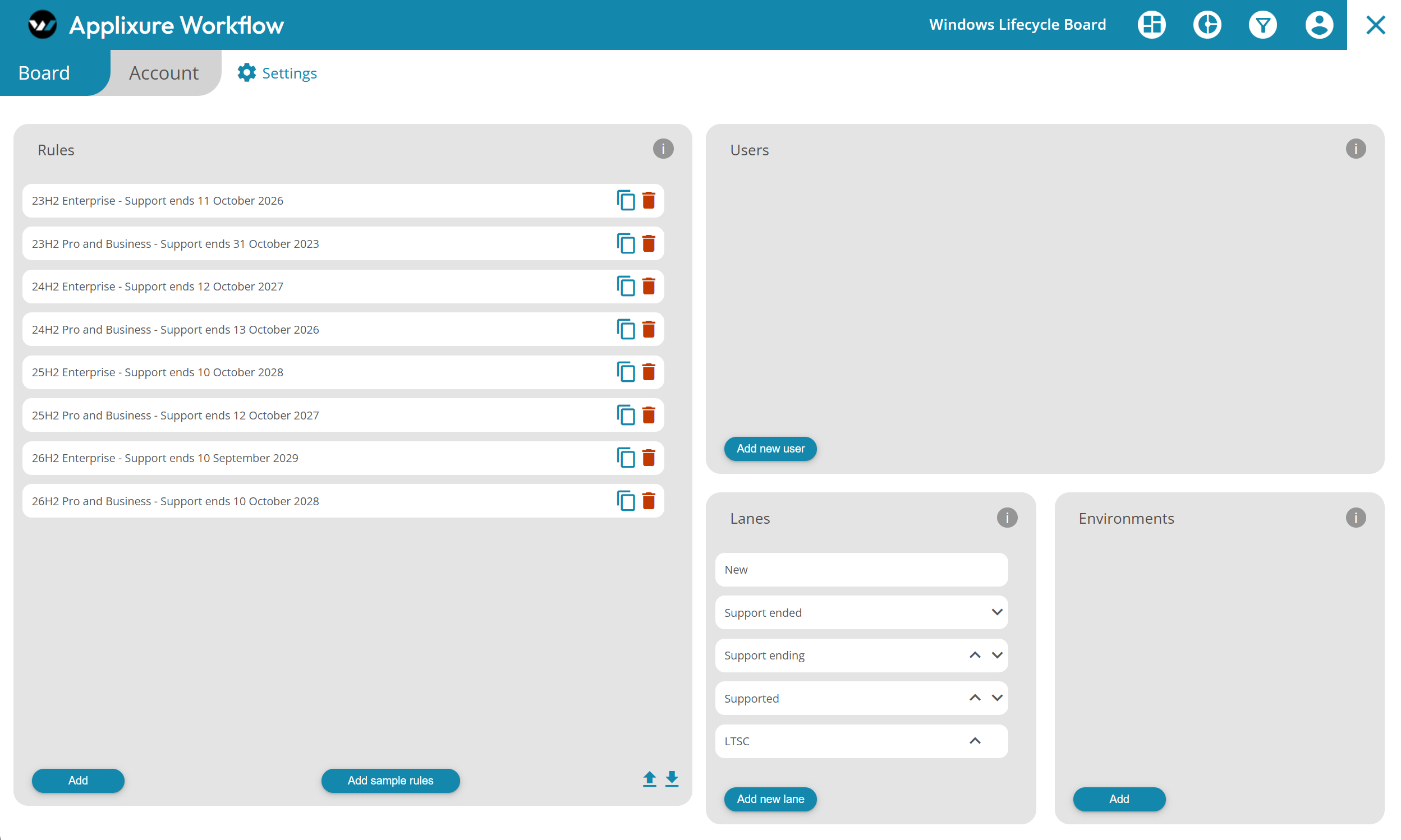
Applixure Workflow Rule Syntax Example:
(OperatingSystemName is not "Enterprise" or OperatingSystemName is not "Education") and OperatingSystemServicing.Release is "24H2"
Step 4: Track what still needs attention.
Workflow creates work items from matching devices and updates the associated device information as new data is reported. Your team can assign the work and follow which devices still match the rule as upgrades progress. See how Applixure Workflow works.
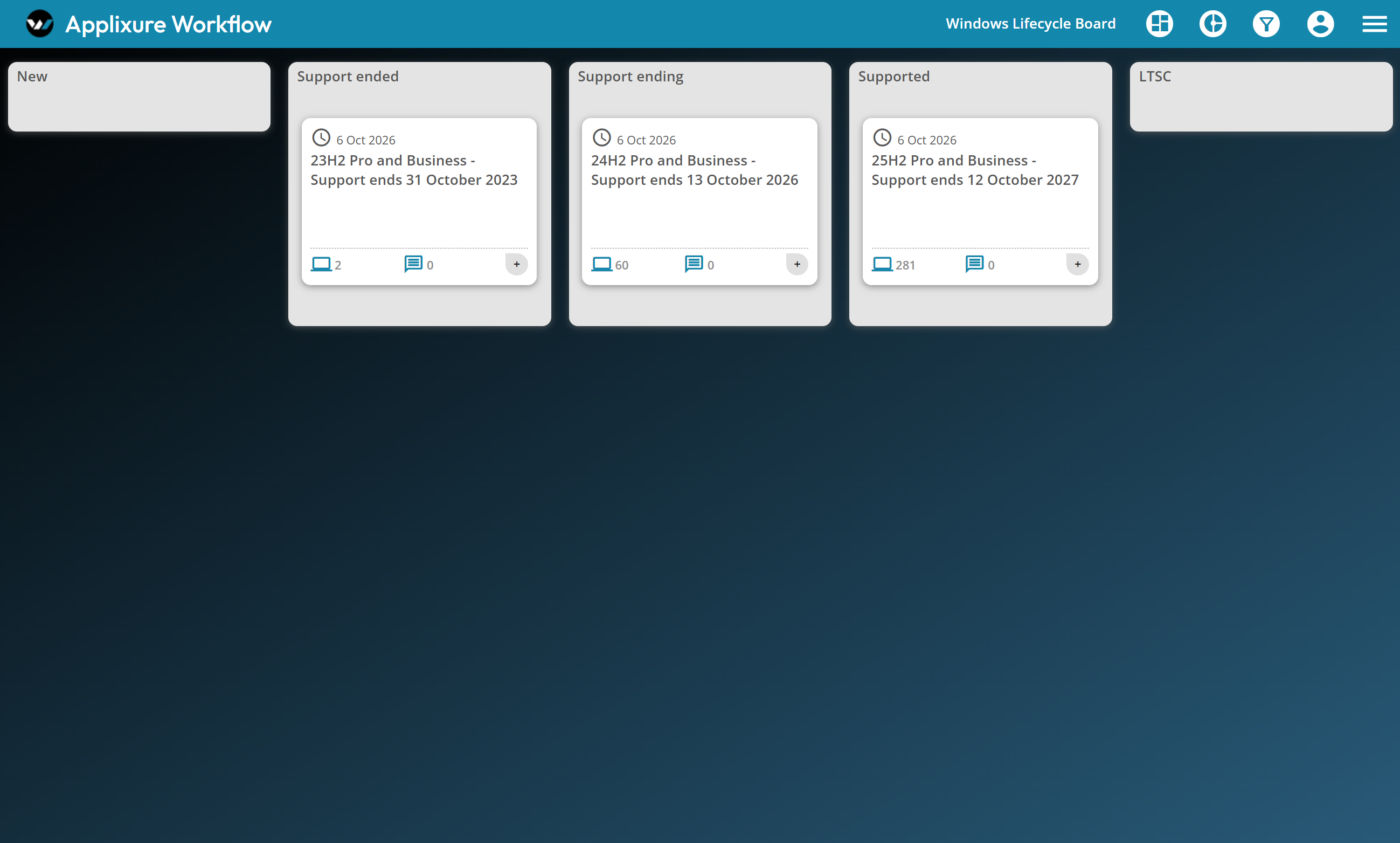
The same approach can support the next deadline, too. By setting up rules ahead of time and reviewing the board regularly, teams can plan upgrades earlier and keep track of remaining devices across their environments.
The October deadline is a useful reason to check your estate today. Keeping that visibility in place makes future deadlines easier to manage.
Book an Applixure demo to see how Analytics and Workflow can help your team track Windows versions and plan the work ahead.
Stay Ahead in IT
Get monthly insights and guides for smarter IT management
No spam. Unsubscribe anytime.