
In this article
Share with your community!


Edited & Reviewed
 Edited & Reviewed
Reading time 3 mins
Updated on November 2, 2026
In this article
Share with your community!
Every organisation wants to move forward with AI, with CIOs and IT teams playing a central role. But where will IT get the funding it needs: additional budget, or cuts to other important priorities?
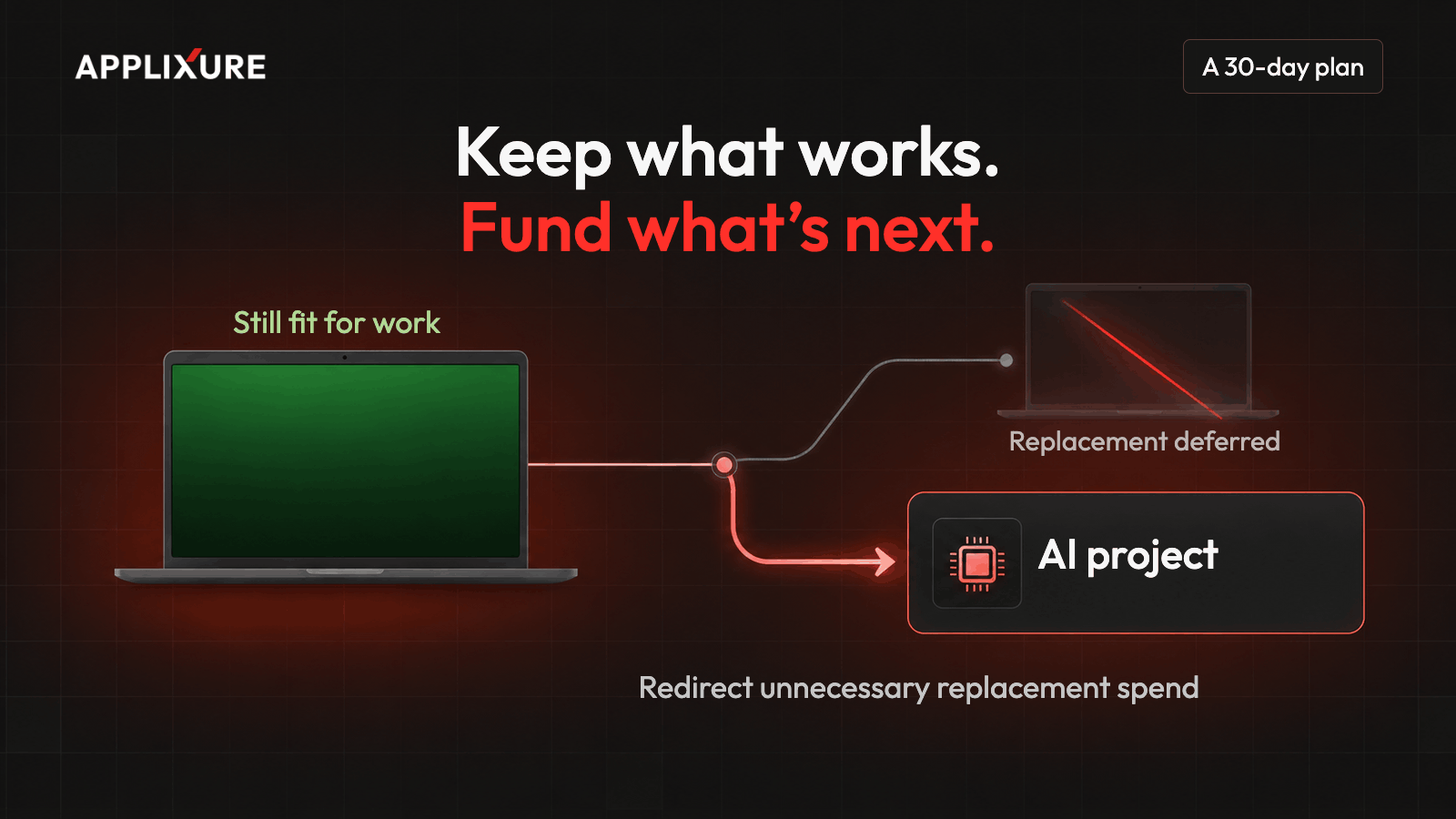
The money is often already there. It sits in your next unnecessary laptop refresh cycle.
Why is the device refresh the easiest place to find AI budget?
The device refresh is one of the largest predictable lines in the IT budget, and most of it is spent by default.
Most organisations replace laptops on a fixed cycle, often every three to four years. The cycle is set once and rarely questioned. When devices hit the age limit, they get replaced, whether they need it or not.
That makes the refresh different from almost every other IT cost:
- It is already budgeted. You don't need to ask for new money. You need to spend less of the money you already have.
- It is recurring. Savings repeat every refresh cycle, not just once.
- It is decided by a rule, not by evidence. That rule is where the waste hides.
This changes the conversation with your CFO. You are not cutting costs. You are moving capital from devices that still work to projects that create new value, like AI.
Why does age-based refresh waste money?
Age tells you when a device was bought. It doesn't tell you how well it works.
66% of computers scheduled for age-based replacement are still fit for use when they are replaced.
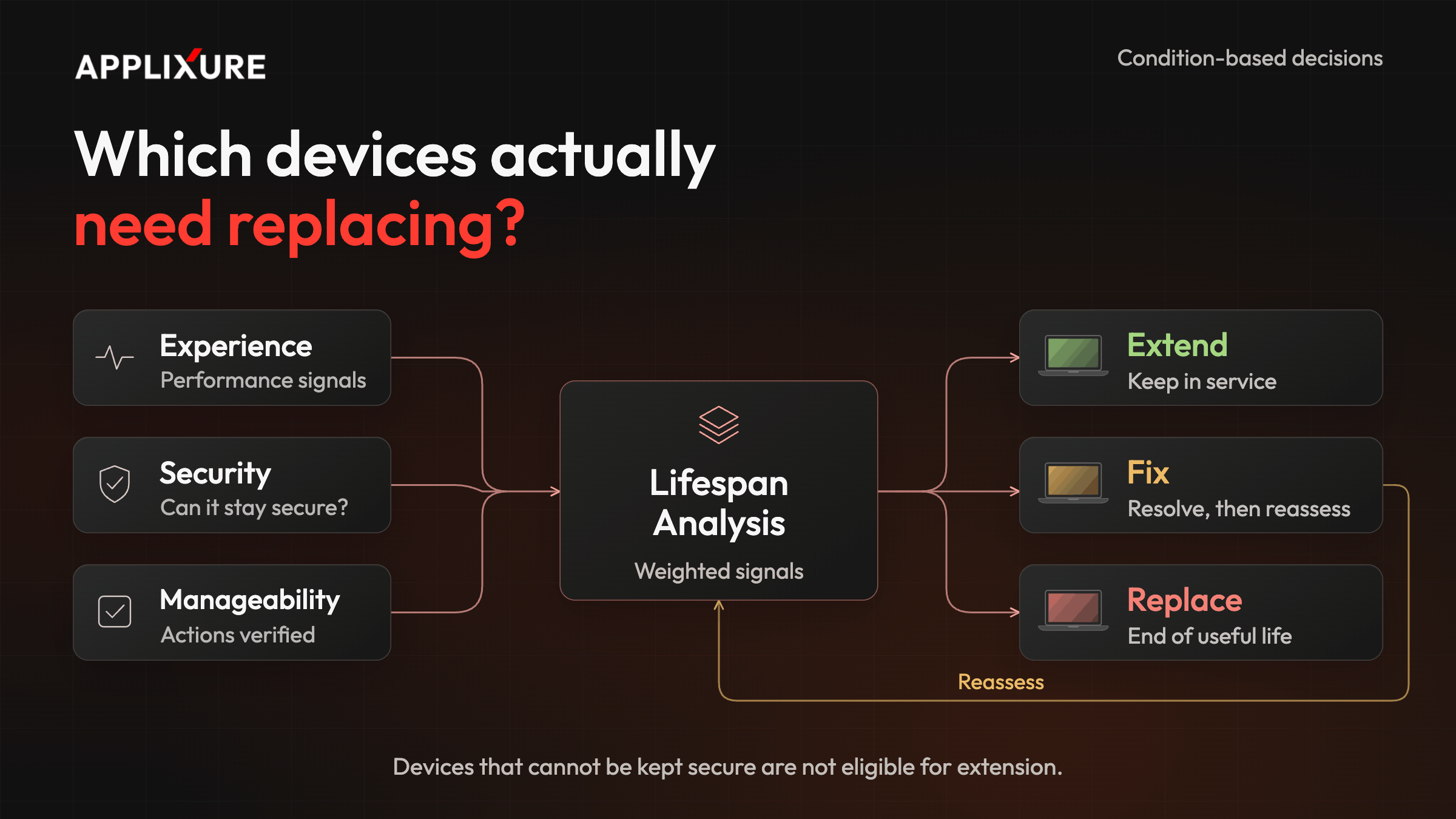
To decide well, you need condition data from every device, read by a model you can trust.
How do you free up refresh budget in 30 days?
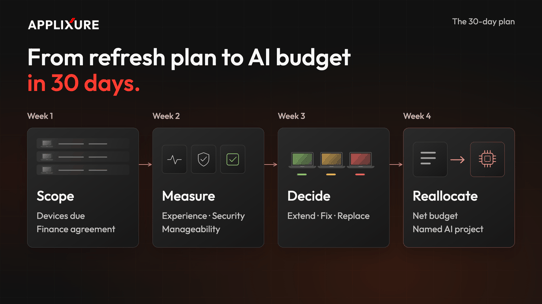
You move from "replace by age" to "replace by condition" in 30 days:
The following steps take your team 2 hours in 30 days:
- Deploy Applixure Analytics on the computers you want to assess. This takes 15 minutes.
- Let Applixure collect about a month of data. See how it works.
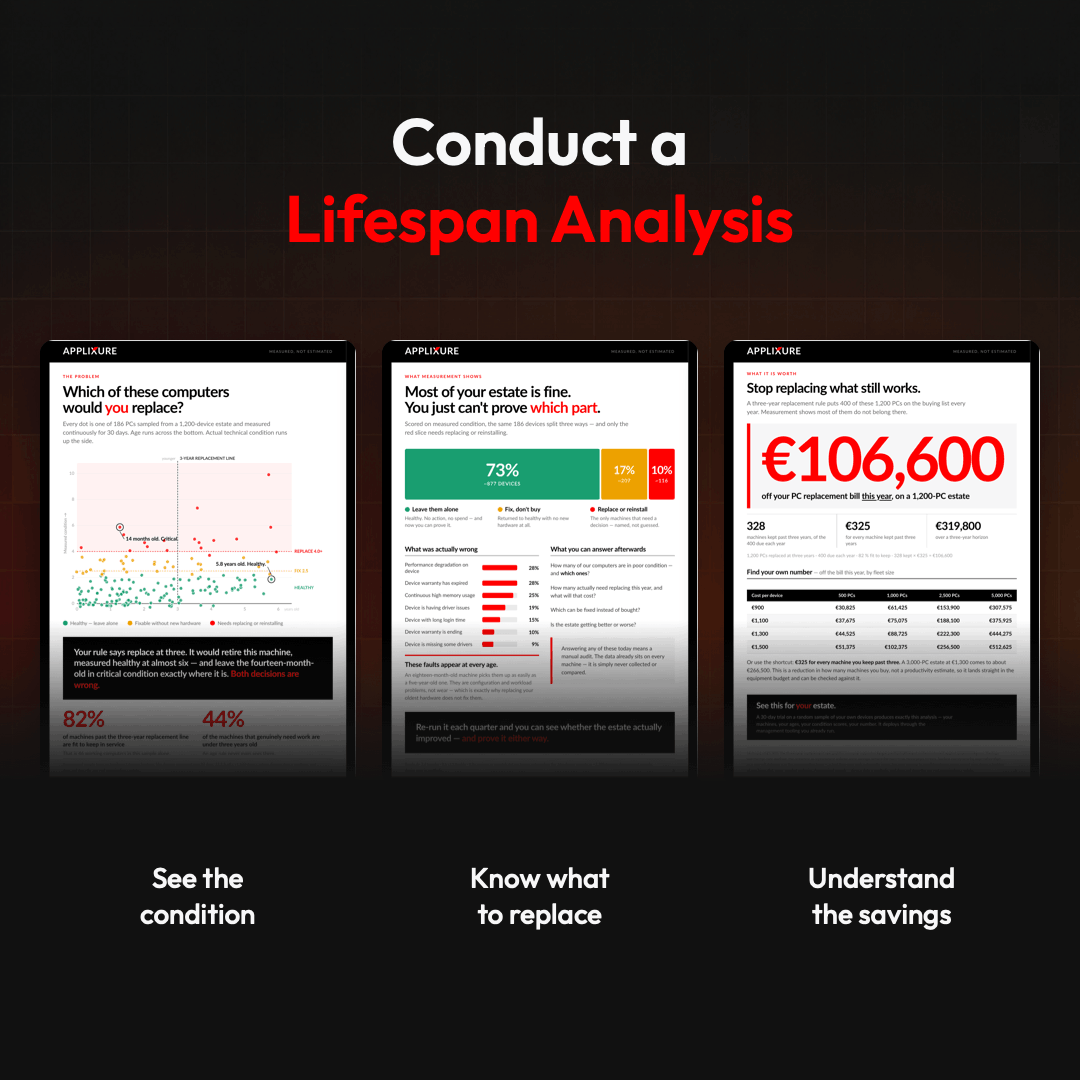
- Get your Lifespan Analysis by Applixure. A clear overview of which computers to extend, fix, or replace.
Start now, and you'll have results in about a month, while you can still adjust your next 2027 replacement cycle. Lifespan Analysis is available for organisations with 200+ computers.
How much budget can you free up?
In the first year, organisations typically extend around half of their replacement-due devices. The share grows as you keep working with the data.
Here is an example. An organisation replaces its laptops every three years, so 1,000 laptops are due for replacement each year, at an average all-in cost of €1,200 per device.
|
Year |
Share of due laptops extended |
Fewer laptops bought per year |
Budget released |
|
Year 1 |
~50% |
~125 |
~€150,000 |
|
Year 2 |
~65% |
~163 |
~€195,000 |
|
Year 3 |
~80% |
~200 |
~€240,000 |
|
3-year total |
~€585,000 |
From year three, around €240,000 comes back every year for as long as you keep extending at that level. Run your own numbers in our savings calculator.
In year one, the cash effect is bigger. Around 500 purchases, roughly €600,000, are pushed out of this year's budget. Part of that returns as extended laptops reach their new end of life, which is why the table counts only the lasting reduction.

FAQ
-
How can IT fund AI projects without increasing the budget?
Keep healthy & secure devices longer and redirect the savings from replacements to new AI projects. -
Is a 4-year laptop refresh cycle still necessary?
Not for every device. Laptops can last longer if they perform well and remain secure and manageable. -
How do you decide which laptops to replace?
We use a 20+ metric model on device data in the areas of user experience, security, and manageability. This model is constantly updated based on the latest IT developments. -
Is it safe to extend older laptops?
Yes, if they remain secure. Replace devices that can no longer be kept secure, even if they still perform well. -
Can I use employee surveys instead of telemetry?
Not on their own. Surveys capture user experience, but not security or manageability. Telemetry provides data from every device.
Start your 30-day challenge
Applixure has worked with device data for almost 15 years. Our extend, fix, and replace model was built and validated together with customers, so you don't have to work out which signals matter yourself.
In 30 days, a Lifespan Analysis shows which of your replacement-due devices can be extended, which need a fix, and how much budget you can release for AI.
Book Your Lifespan Analysis Explainer.
Stay Ahead in IT
Get monthly insights and guides for smarter IT management
No spam. Unsubscribe anytime.