
In this article
Share with your community!


Edited & Reviewed
 Edited & Reviewed
Reading time 3 mins
Updated on September 28, 2026
In this article
Share with your community!
The 30-Day Computer Replacement Challenge
Before you approve your next computer order, give your replacement list a 30-day review. Find out which computers you can keep, which need a fix, and which actually need replacing.
What you’ll need:
- Next computer replacement list
- Management tool (e.g., Microsoft Intune)
Let's dive in.
To start, we need to create a lifespan analysis
Starting Point =
Lifespan Analysis
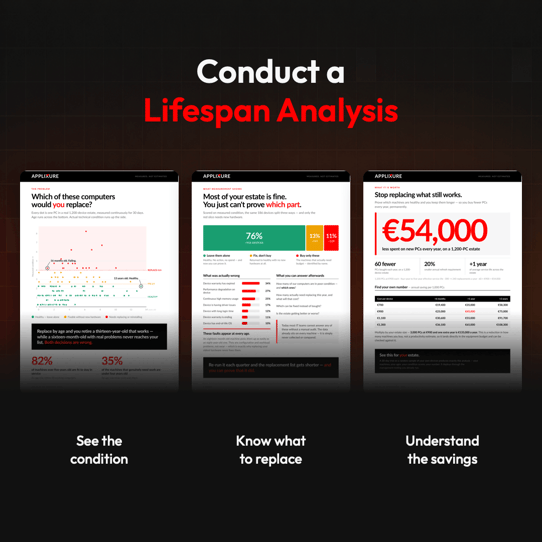
Lifespan Analysis = a report that shows which computers to keep, fix, or replace, and where your replacement spending could wait.
Questions that a lifespan analysis answers:
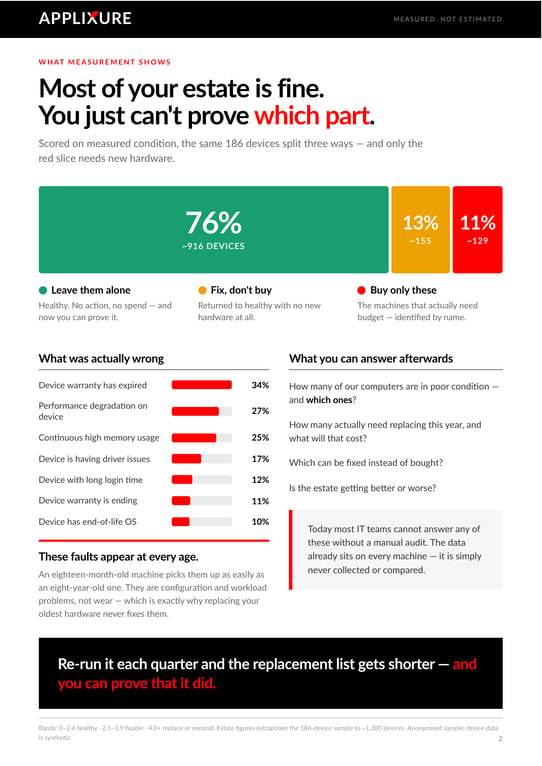
1. What's the health of your fleet?
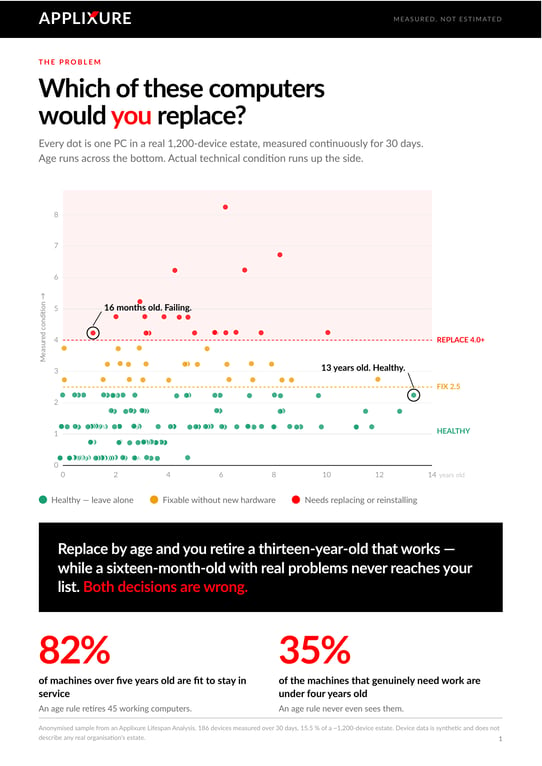
2. Which devices actually need replacing?
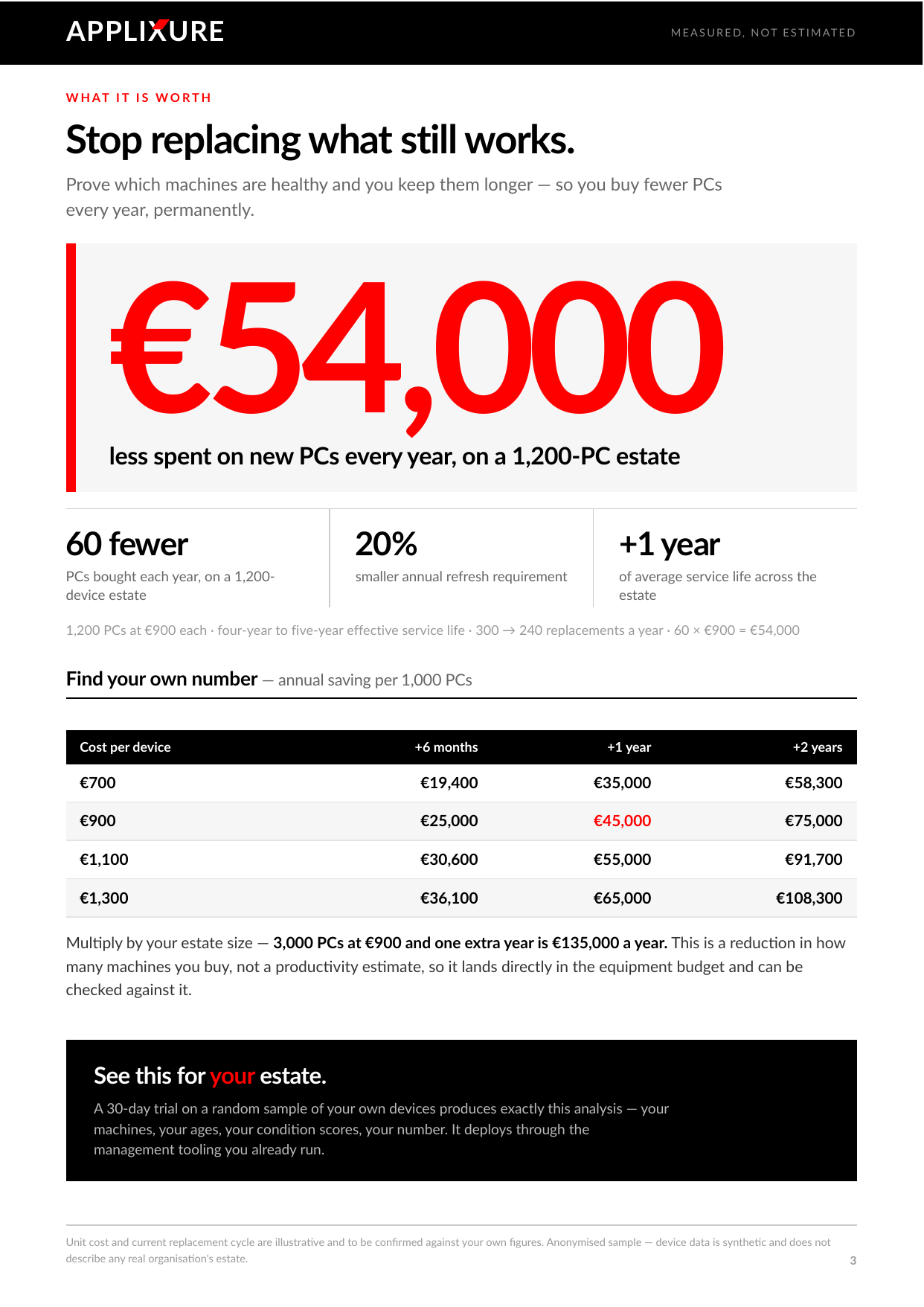
3. How much can you save?
How To Create Your Lifespan Analysis in 30 Days
Before you approve the order, use Applixure to check which computers are healthy, which could benefit from a fix, and which actually need replacing.
Here’s how.
Step 1: Pull your next replacement list
Start with all the computers you’re planning to replace in your next purchasing or leasing cycle.
Include their expected replacement costs and any upcoming deadlines. This gives you a starting budget to compare with the findings later.
You now have a clear question to answer: how many of these computers actually need replacing?
Step 2: Sign up for Applixure and collect the data
Go to Applixure.com, sign up, and deploy the agents to the computers you want to assess.
Important: Contact Applixure Customer Success at analysis@applixure.com and let them know you’d like to run a Lifespan Analysis.
The Applixure team can check that your account is set up correctly before you begin, helping avoid any issues later in the process.
Then let people work normally while Applixure collects data.
What happens now?
Hardware and configuration information starts arriving quickly. Everyday performance needs a few weeks of observation. Application freezes, crashes, slow logons, and recurring disruptions become visible as people use their computers.
Allow a few weeks to build a useful picture of how your computers actually perform.
Step 3: Ask Applixure for a Lifespan Analysis
Once the data has accumulated, email analysis@applixure.com and request your Lifespan Analysis.
Share your replacement list, planned costs, and purchasing or lease deadlines.
Applixure’s team analyses the data, prepares your report, and explains the recommendations. You get device-level findings to help you take three actions:
- Keep healthy devices. Remove suitable computers from the immediate replacement list and continue monitoring them.
- Fix the fixable devices. Address the identified issues, then reassess whether the computers can stay in service.
- Replace only what needs replacing. Prioritise devices whose condition and suitability justify the purchase.
You don’t have to interpret all the device data yourself. Applixure prepares the analysis and helps you understand what to do next.
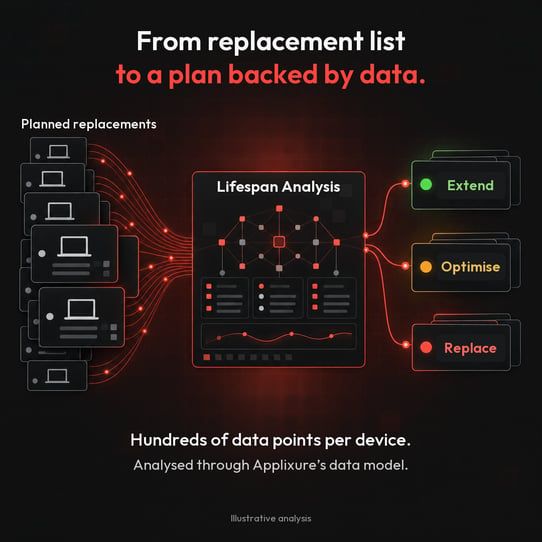
Use your Lifespan Analysis to replace based on condition, not calendar
Review your planned replacements against the report’s device-level findings. Defer replacement where device health and performance support continued use, address fixable issues and, prioritise devices that no longer meet operational requirements.
Before finalising your plan, consider warranty coverage, security and software support, and purchasing or lease deadlines. Update your budget to include any repair or lease-extension costs.
The result is a replacement plan backed by evidence, with a clear estimate of spending that can be deferred and a documented rationale for each decision.
Challenge Completed: Save up to 80% in Annual replacement savings
Compare your revised replacement plan with your original list. How many computers can stay in service? How many need a fix? How many still need replacing?
Then estimate how much you’re likely to save in your next replacement cycle. Compare the original planned spend with the revised total, including any repair or lease-extension costs. Make clear which savings come from postponing purchases rather than eliminating future costs.
Share the findings with management, using your Lifespan Analysis to explain the decisions.
Challenge complete: a clear replacement plan, estimated savings, and evidence to support your next order.
How can computers due for replacement still have years left?
Age alone is a poor guide to whether a computer needs replacing. Four years old doesn’t mean worn out.
A scheduled replacement date tells you how long a computer has been in service. It does not tell you whether it performs reliably or meets the needs of the person using it.
Applixure analyses device health and everyday performance to support replacement recommendations. The evidence includes issues such as crashes, software instability, slow startup and logon times, memory pressure, battery condition, and driver problems.
Condition-based replacement helps you direct spending towards the devices that need it.
How South Ostrobothnia Identified €110k Savings, in 30 days
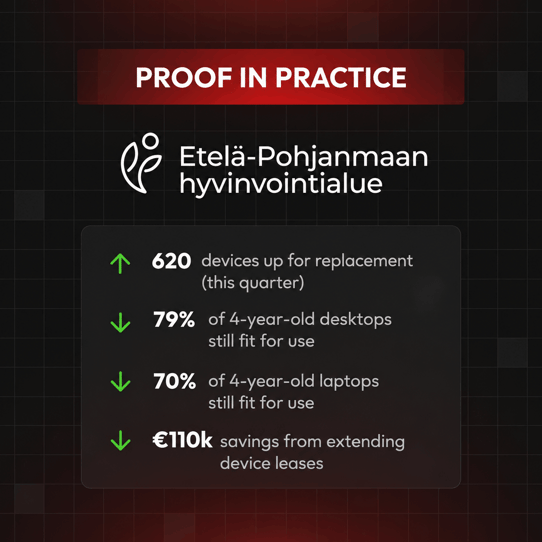
South Ostrobothnia Wellbeing Services County used Applixure’s Lifespan Analysis to review 620 computers scheduled for replacement.
The findings showed that 70% of four-year-old laptops and 79% of desktops were still fit for use.
Extending leases instead of replacing devices early offered approximately €110,000 in estimated savings in a single quarterly leasing cycle.
Read the South Ostrobothnia customer story.
Want your own Lifespan Analysis in 30 days?
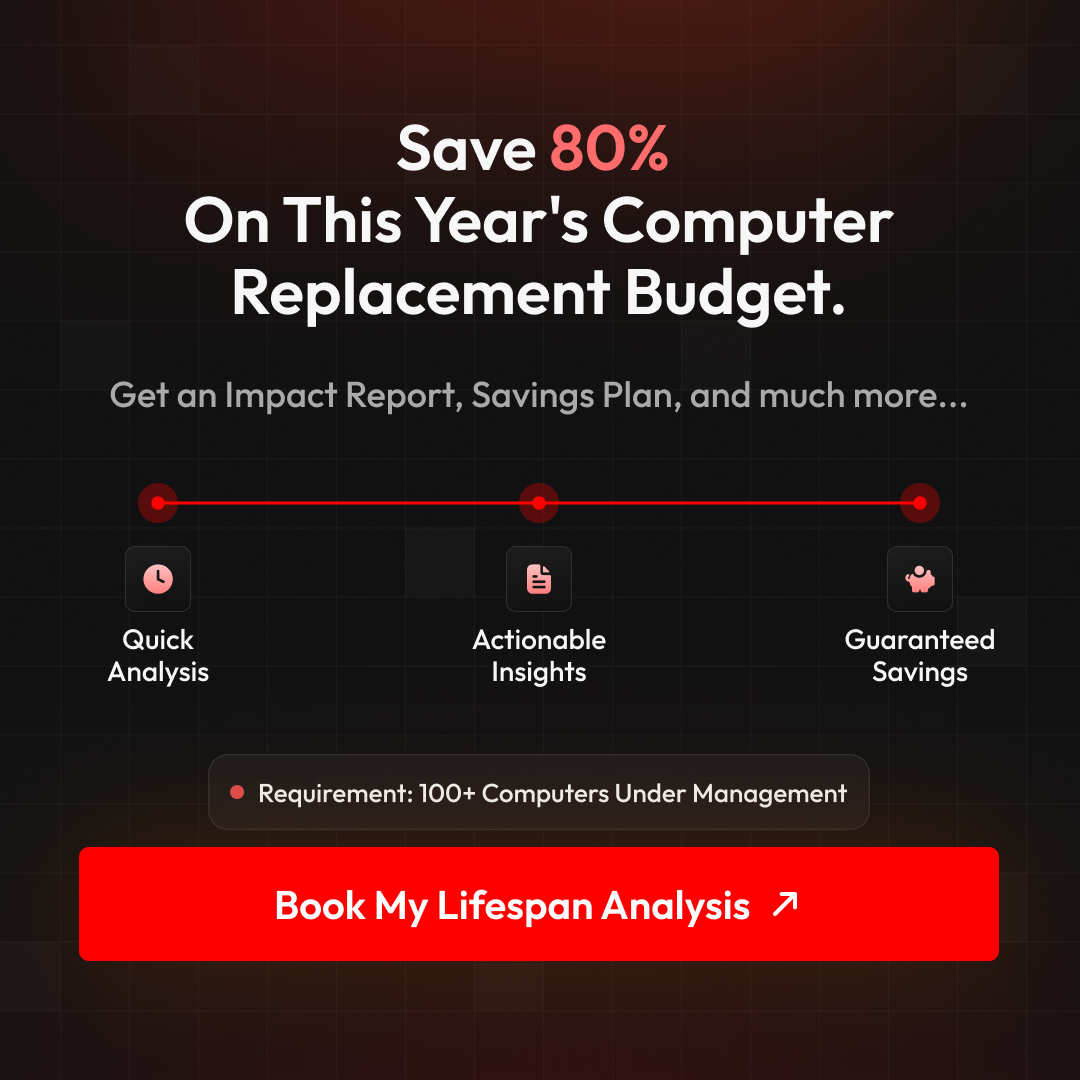
Book a 30-minute Lifespan Analysis explainer here.
We’ll explain how it works, what data is needed, and what you get from the report. No pressure, just clear steps towards a better replacement decision.
Stay Ahead in IT
Get monthly insights and guides for smarter IT management
No spam. Unsubscribe anytime.